Check-in Anleitung
CheckIn Casa Industrial - Vaicun Stays
Willkommen bei Casa Industrial! Folge diesen Schritten für deinen Self Check-in.
-
1. Guest app & access code
Complete online check-in before arrival. On check-in day from 3 PM, open the guest app, tap "Request access code" and activate your PIN for Casa Industrial. -
Step 2
You will find the parking space belonging to the apartment in front of the house in the first front. Park at the parking space marked by the parking sign „Kunzemann“.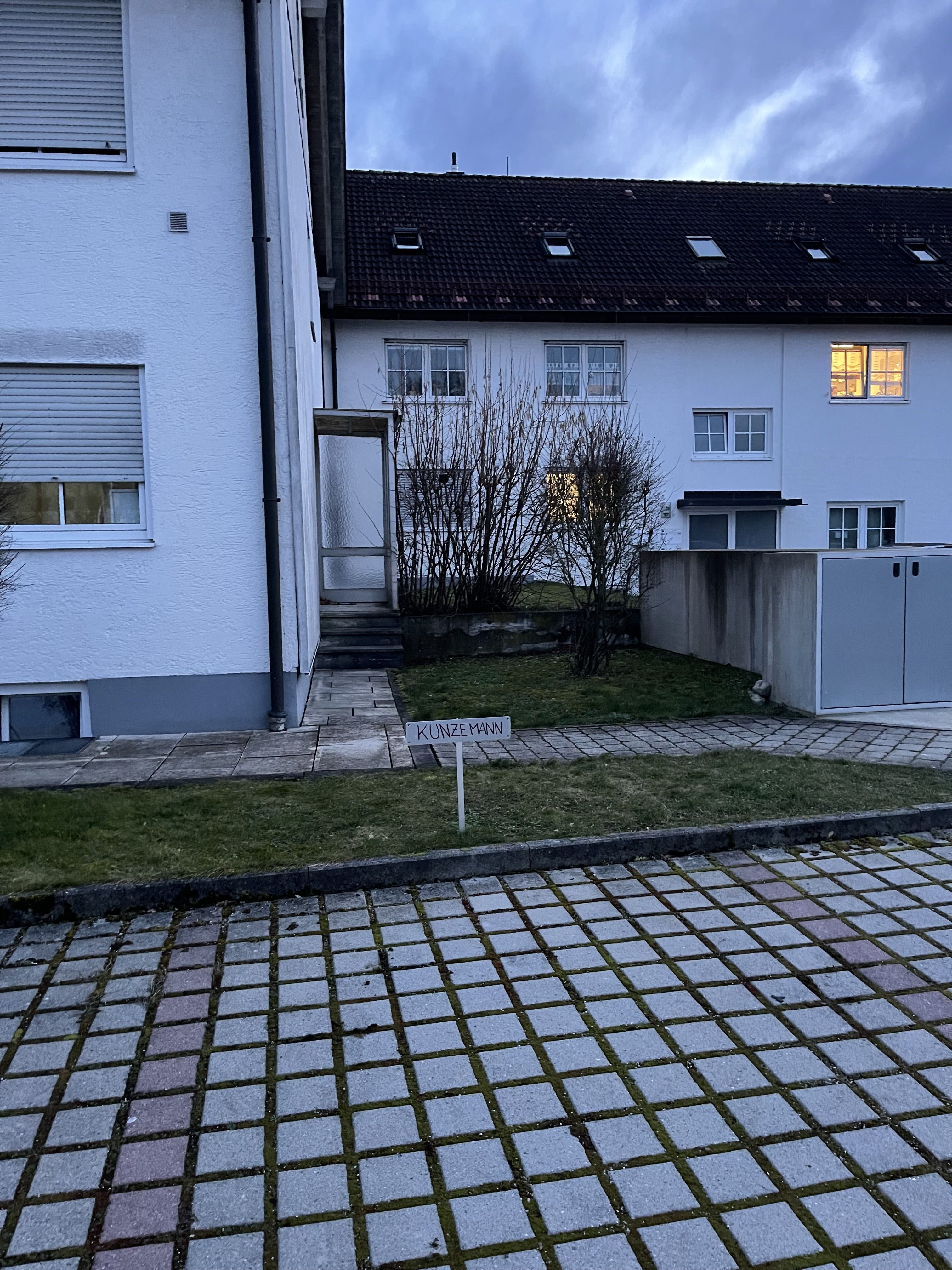
-
Step 3
IMPORTANT: Only this parking space belongs to the appartment, even if other parking spaces on the property are free, we ask you not to use them, as they are rented by the neighbours. If your car has overlength, please park on the street.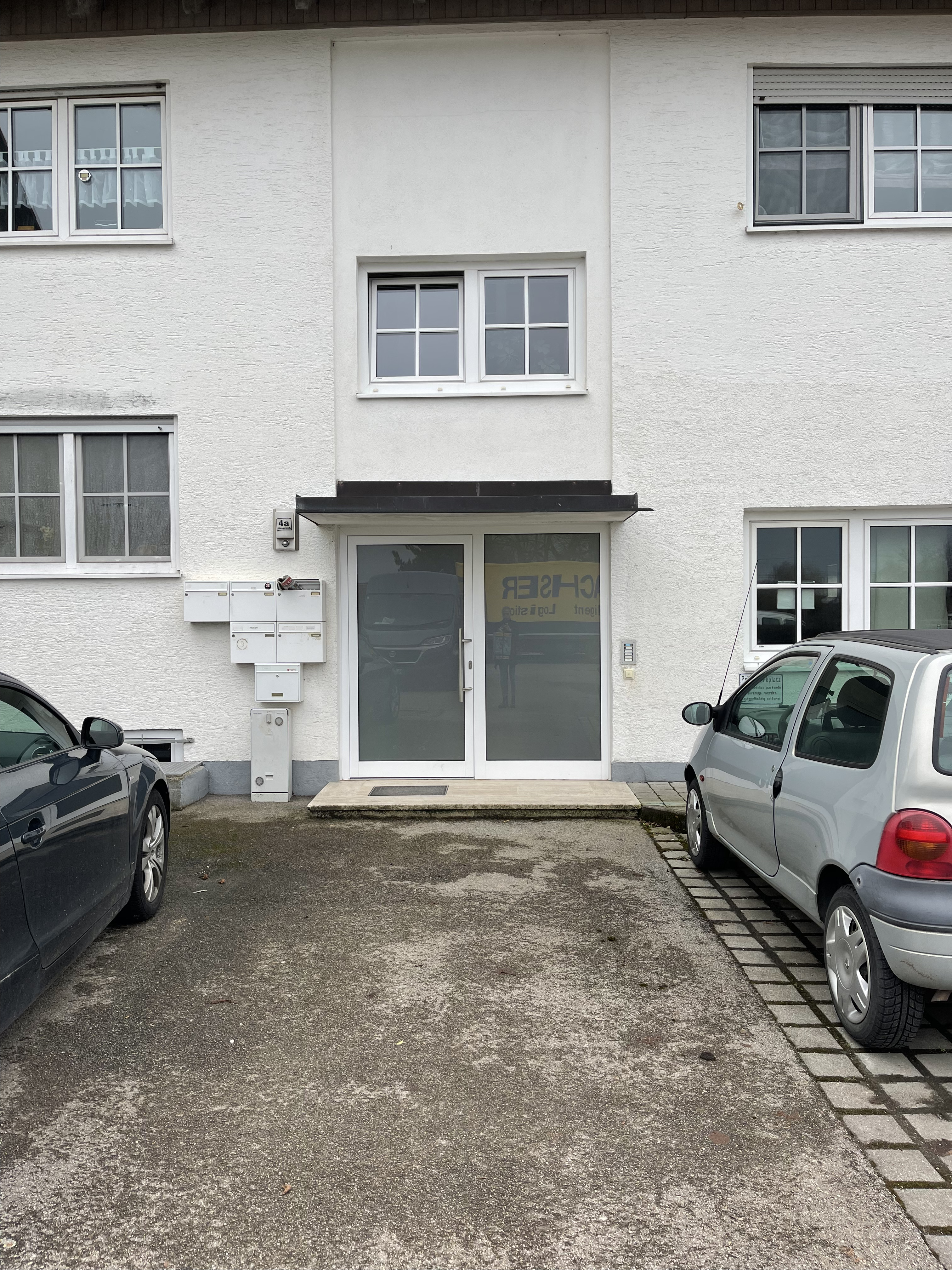
-
Step 4
Now go to the house with the number 4a. To get into the apartment, first ring the bell at the sign „Kunzemann“.
Important: The door will only open if you press the bell at the same time!
After a few seconds the door will open automatically.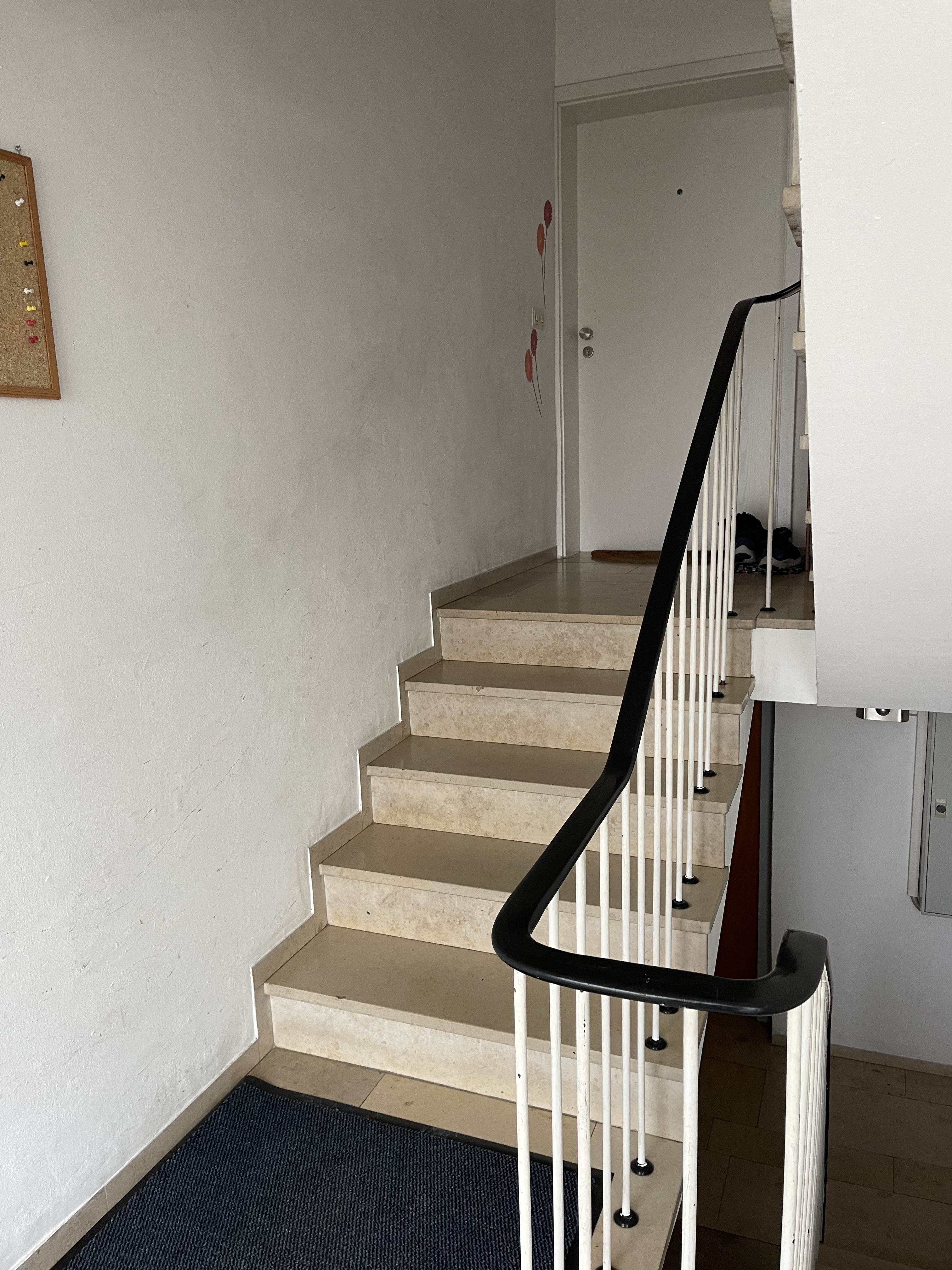
-
Step 5
Now go up the stairs to the 3rd floor.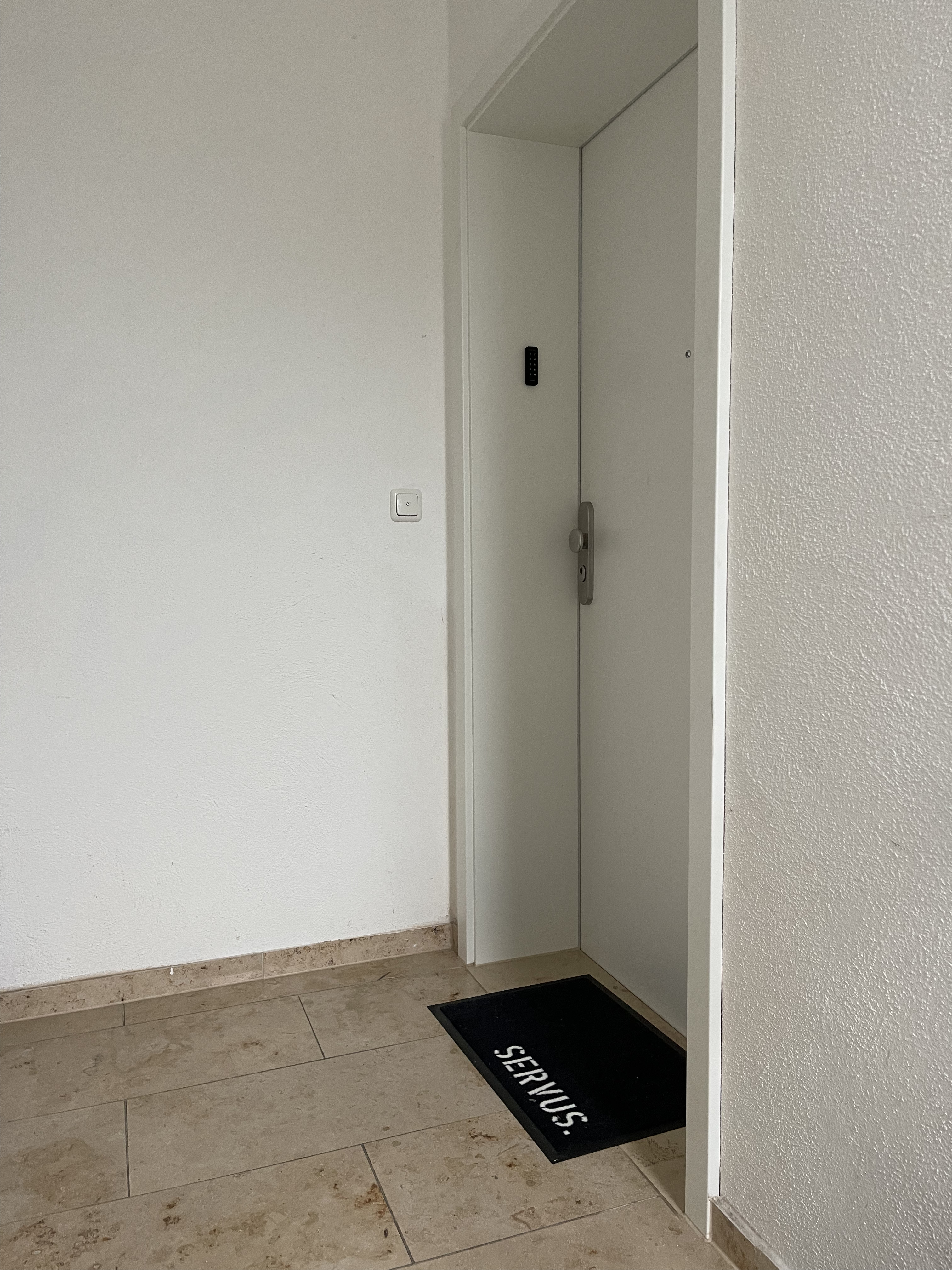
-
Step 6
On the right side you will find the apartment door to the apartment, recognizable by a black keypad.
With the PIN sent in the CheckIn message you open the door.
After the lock has opened, wait briefly until the apartment door opens by itself (please do not press).
-
Step 7
If you ever want to empty the garbage, you will find the garbage cans directly at the entrance to the underground garage. Please note to take the key with you.
Smoking: Smoking is strictly prohibited in the appartment. If you would like to smoke, you are welcome to smoke here in the courtyard and please dispose of your cigarettes properly in the ashtray provided.
Noise: We ask you to take into account the quiet hours in the house between 10pm and 8am, as the apartment building is unfortunately a bit noisy.
Wichtige Hinweise
- Notfall / Ersatzschlüssel: siehe Angaben in deiner Check-in-Nachricht oder Gäste-App.